Applications
Applications
Used to split data received from systems into multiple logical applications.
Normal procedure is to define application for system environments.
For example:
- CRM - Production
- CRM - Test
- CRM - Hotfix
- Navision - Production
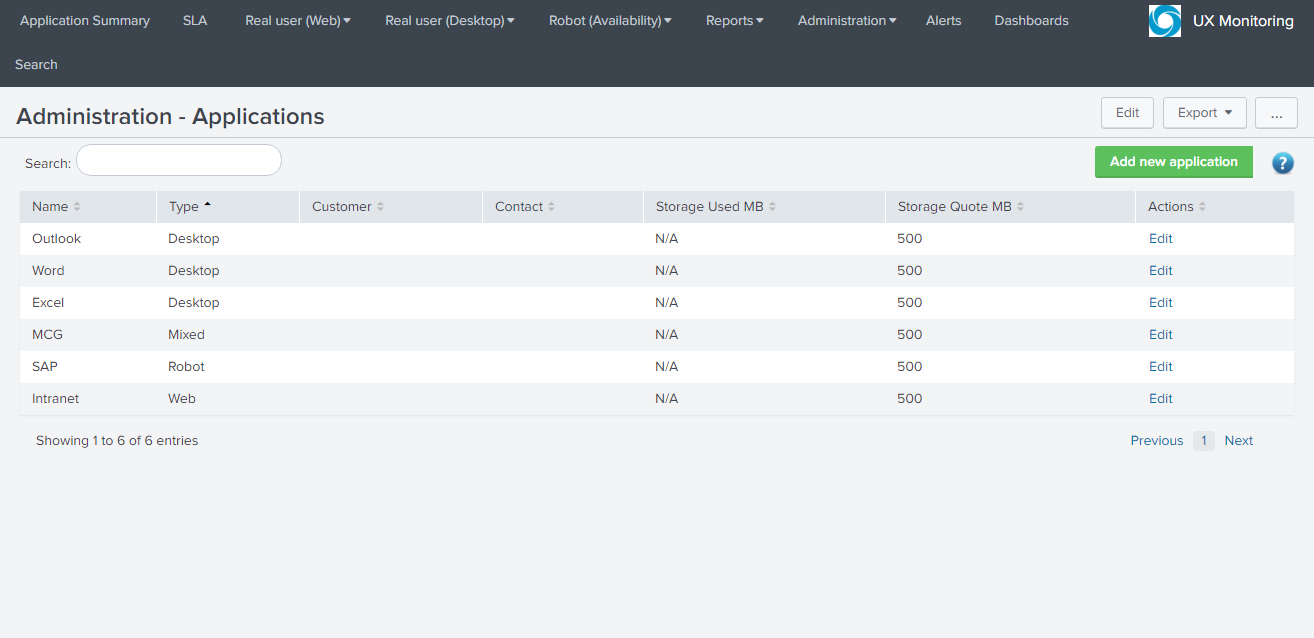
Adding/Editing application
- **Name:**Name of the application.
- Type: Defines what data there is saved in the Application, can be Web/Desktop/Robot or Mixed, is mainly used to quickly identify what technology application uses.
- **Customer/Contact:**Optional fields, can be used to specify who the end customer is and contact person.
- **Storage Quote Limit MB:**Defines how many MB there can be stored of video/log files on the hard-drive, the hard-drive is used to avoid exceeding the daily Splunk license limit.
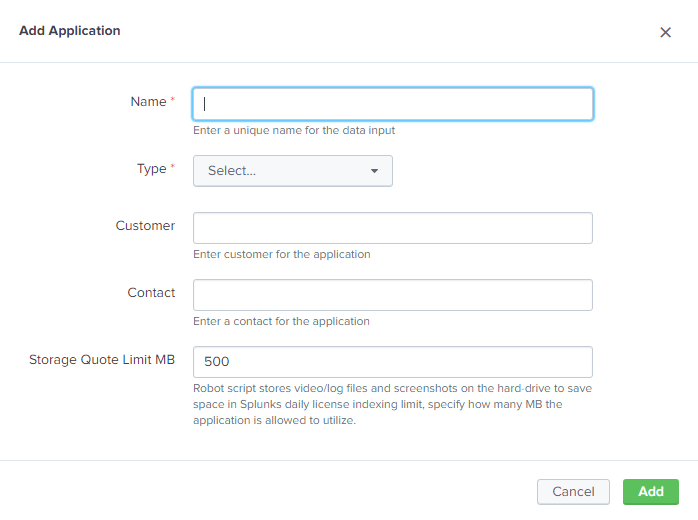
Relationship between Administration Components and Application Types
| Admin Component / App Type | Desktop | Robot | Web | Mixed | Browser Ext |
| Release Dates | X | X | X | X | |
| Web Agents | X | X | |||
| Web Transactions | X | X | |||
| Desktop app monitoring profiles | X | X | |||
| Desktop browser extensions | X | X | X | ||
| Desktop monitors | X | X | X | X | |
| Robot Scripts | X | X |